
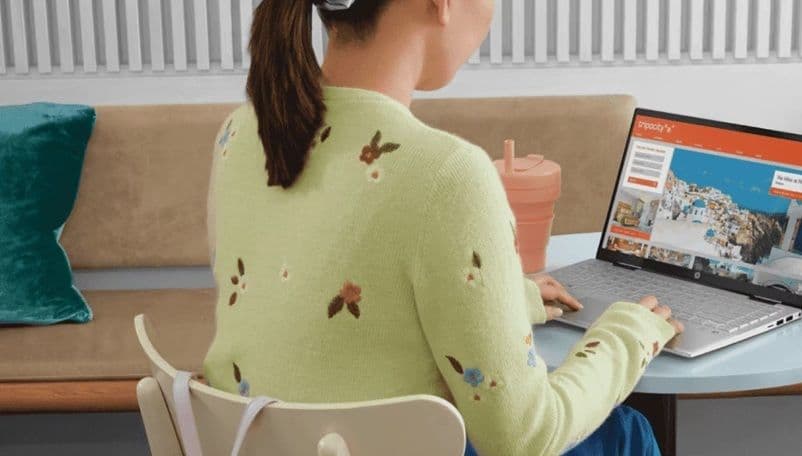
The workplace has transformed. Employees now switch seamlessly between office, home, and remote sites, while many organisations allow Bring Your Own Device (BYOD) policies to reduce costs and improve flexibility.
But this shift creates a massive security challenge. In a hybrid or BYOD environment:
IT leaders lose visibility into unmanaged devices.
Personal laptops may lack enterprise-grade security.
Sensitive company data is exposed on untrusted networks.
The result? A broader attack surface, higher risk of breaches, and increased compliance headaches. To thrive in this reality, businesses need business laptops with integrated, fleet-wide security that adapt to hybrid environments and BYOD risks.
Device Diversity: IT manages a mix of corporate and personal laptops.
Unsecured Networks: Home Wi-Fi and public hotspots expose devices.
Shadow IT: Employees bypass controls with personal devices and apps.
Insider Threats: Personal devices increase risks of accidental or intentional misuse.
Compliance Strain: Proving adherence to data regulations becomes more complex.
Traditional, perimeter-based security is no longer effective. Security must be device-centric, continuous, and built-in.
Scenario 1: The Remote Sales Executive
A sales rep accesses customer data on a personal laptop without encryption, and the device is lost during travel. Sensitive files are exposed, and compliance violations follow. On HP EliteBooks with hardware-enforced encryption and secure boot, data remains inaccessible.
Scenario 2: The Hybrid Finance Analyst
Switching between office and home, the analyst’s personal device introduces malware into the corporate network. With HP Dragonfly laptops running AI-driven threat detection and zero-trust authentication, the risk is eliminated.
Scenario 3: The IT Administrator
Managing dozens of mixed devices strains IT resources. With HP ProBooks integrated into fleet management platforms, IT gains unified visibility and control — reducing shadow IT risks.
Zero-Trust Architecture: Continuous verification of user and device identity.
Hardware-Based Encryption: Ensures lost or stolen devices don’t compromise data.
Self-Healing BIOS: Protects against firmware-level attacks invisible to antivirus.
AI-Powered Threat Detection: Identifies anomalies in real time, across hybrid endpoints.
Fleet Management Tools: Provide centralised visibility across both company-issued and personal devices.
Privacy & Authentication: Fingerprint scanners, facial recognition, and privacy screens for public use.
|
Laptop Model |
Best For |
Key Security Features |
|
HP ProBook |
Large hybrid workforces |
Fleet management integration, self-healing BIOS |
|
HP EliteBook |
Professionals with sensitive data |
Hardware encryption, enterprise-grade protections |
|
HP Dragonfly |
Hybrid executives |
Lightweight, AI-driven threat detection, premium security |
|
HP ZBook Firefly |
Hybrid creatives |
GPU acceleration + endpoint security |
Reduced Attack Surface: Unified, secure devices minimise BYOD risks.
Simplified Compliance: Built-in safeguards make audits faster and easier.
Lower IT Overhead: Centralised management reduces time spent on mixed-device troubleshooting.
Employee Productivity: Seamless security prevents workflow interruptions.
Business Continuity: Hybrid operations run securely without downtime from breaches.
At HP Connect Experience Centres in New Delhi, Gurgaon, Noida, Pune, Guwahati, Surat, Cochin, and Chennai, IT leaders can test how HP laptops tackle BYOD and hybrid risks.
Visitors can:
Simulate attacks on hybrid devices and see how self-healing BIOS protects them.
Explore AI-powered threat detection in real-world hybrid scenarios.
Evaluate how fleet management tools provide oversight of corporate and personal laptops.
Get expert consultation on balancing flexibility, security, and compliance in hybrid IT strategies.
For CIOs, these centres turn hybrid risk management into a structured, proactive security strategy.
Q1. Why is BYOD such a risk for businesses?
Because personal devices often lack encryption, patching, and enterprise security — exposing sensitive company data.
Q2. How do HP laptops help in hybrid environments?
With zero-trust authentication, hardware-based encryption, and fleet management integration.
Q3. Can IT teams really secure personal devices?
Yes, through centralised management tools and built-in protections in business-class laptops.
Q4. Which HP laptop suits hybrid executives best?
The HP Dragonfly, combining lightweight mobility with premium security.
Q5. How can IT leaders test hybrid-ready laptops?
By visiting HP Connect Experience Centres and simulating hybrid/BYOD workflows.