
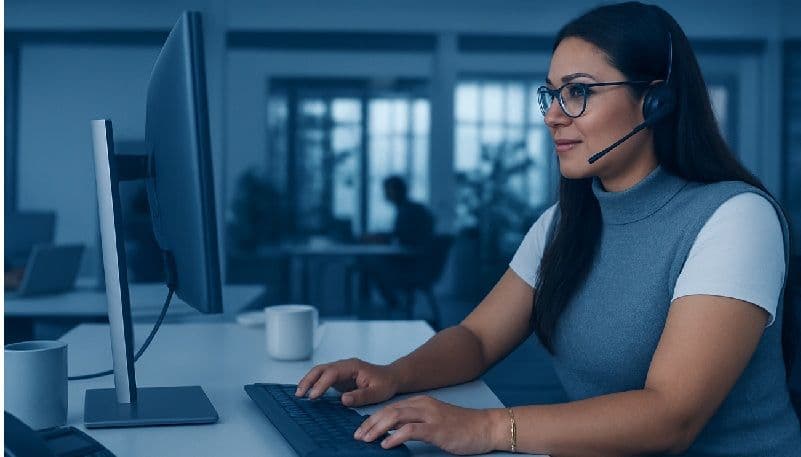
Why is there a shift toward virtual-first collaboration?
In just a few years, virtual collaboration has moved from being an occasional convenience to the default mode of working. Whether it’s hybrid meetings across continents, creative brainstorming in digital whiteboards, or daily check-ins on Microsoft Teams and Zoom, seamless collaboration tools now define productivity.
But there’s a catch: collaboration is only as good as the device it runs on. Even the best conferencing platform falters if the laptop lags, microphones crackle, or security gaps expose sensitive conversations. For IT leaders, choosing the right business laptops is no longer a procurement decision — it’s a collaboration strategy.
Performance bottlenecks turn smooth video calls into glitchy experiences.
Poor audio-video quality undermines communication and professionalism.
Weak connectivity interrupts client demos and team discussions.
Security risks threaten confidential conversations and shared files.
In short: collaboration tools are only as strong as the laptops powering them.
Lost Productivity – Dropped calls and frozen screens waste minutes that scale into hours.
Frustrated Employees – Hybrid workers disengage if tech blocks communication.
Damaged Client Trust – Glitches during client pitches weaken brand perception.
Increased IT Tickets – Poor performance leads to frequent troubleshooting.
|
Scenario |
Poor Device Experience |
HP Business Laptop Experience |
|
The Global Pitch |
Screen sharing lags, audio cuts out |
HP EliteBook: AI noise cancellation & premium conferencing features ensure seamless pitches |
|
The Creative Brainstorm |
Lag makes sketching frustrating |
HP ZBook Firefly: GPU acceleration & colour-accurate displays enable smooth collaboration |
|
The Support Team |
Multitasking leads to crashes |
HP Dragonfly: Wi-Fi 6E & strong CPUs ensure stable multitasking calls |
Optimised Audio-Video – AI microphones, noise cancellation, HD webcams.
Connectivity That Doesn’t Fail – Wi-Fi 6E and optional 5G.
High-Performance Specs – Multi-core CPUs, 16GB+ RAM, GPUs.
Battery Life for Hybrid Teams – 14–20 hours of seamless use.
Built-In Security – Hardware-enforced protections for files and calls.
HP EliteBook – Premium collaboration tools + enterprise-grade security.
HP Dragonfly – Ultra-mobile, AI conferencing features for hybrid execs.
HP ProBook – Reliable collaboration at scale for standard teams.
HP ZBook Firefly – Built for creatives with GPU acceleration + collaboration tools.
Higher Engagement – Frustration-free collaboration.
Client Confidence – Professional-grade meetings.
Operational Efficiency – Reduced downtime and IT load.
Future-Proofing – Ready for evolving platforms.
At HP Connect Experience Centres in New Delhi, Gurgaon, Noida, Pune, Guwahati, Surat, Cochin, and Chennai, IT leaders can:
Test AI audio-video features in live demos.
Compare Wi-Fi 6E & 5G-enabled devices.
Experience ZBooks balancing creative + collaborative tools.
Consult HP experts on collaboration-focused device strategies.
Q1. Aren’t collaboration tools like Zoom or Teams enough on their own?
Not if laptops can’t keep up. Hardware directly impacts call quality, stability, and security.
Q2. Which HP laptop is best for executives in hybrid roles?
The HP Dragonfly, with ultra-lightweight design and premium conferencing features.
Q3. Do creative teams need different collaboration devices?
Yes. Devices like the HP ZBook Firefly provide GPU support while still enabling seamless collaboration.
Q4. How do business laptops improve security in collaboration?
Through hardware-enforced protections, self-healing BIOS, and privacy screens.
Q5. Can IT leaders test these features before deployment?
Yes, at HP Connect Experience Centres through hands-on collaboration demos.