
There was a time when cyberattacks were something only large corporations worried about. Today, every business, from fast-growing MMEs to lean startups, is a target. And as workforces become more mobile, one truth has become clear:
Security now lives at the endpoint.
The laptop is no longer just a productivity device. It’s the first line of defence.
So, what features should a modern business laptop have to protect your organisation from rising threats in 2025? Let’s break down the essentials and explore HP’s most secure business devices built to keep your information safe without slowing your team down.
Passwords can be shared, stolen, or forgotten. That’s why leading business laptops now include secure, user-friendly biometric options.
Fingerprint Scanners – Embedded in the palmrest for quick, secure logins.
IR Facial Recognition Cameras – Allow Windows Hello authentication with just a glance.
Smartcard Readers – Available in select models for two-factor hardware authentication.
Laptop Recommendation: HP EliteBook 840 G11 – Combines fingerprint, facial unlock, and smartcard support for multi-factor authentication.
Firmware attacks (which target the BIOS) often bypass traditional antivirus.
HP Sure Start is a self-healing BIOS that monitors, detects, and automatically recovers the BIOS at reboot if tampered with.
Laptop Recommendations:
HP Dragonfly G5 – Includes Sure Start Gen7, ideal for executives.
HP ProBook 640 G11 – Brings BIOS-level protection to cost-sensitive deployments.
Traditional antivirus isn’t enough against modern threats.
HP Wolf Security provides:
Application isolation (via Sure Click)
Secure sandboxed browsing sessions
Always-on malware protection and threat containment
Laptop Recommendation: HP EliteBook 649 G11 – Delivers robust Wolf Security with cloud-based fleet visibility.
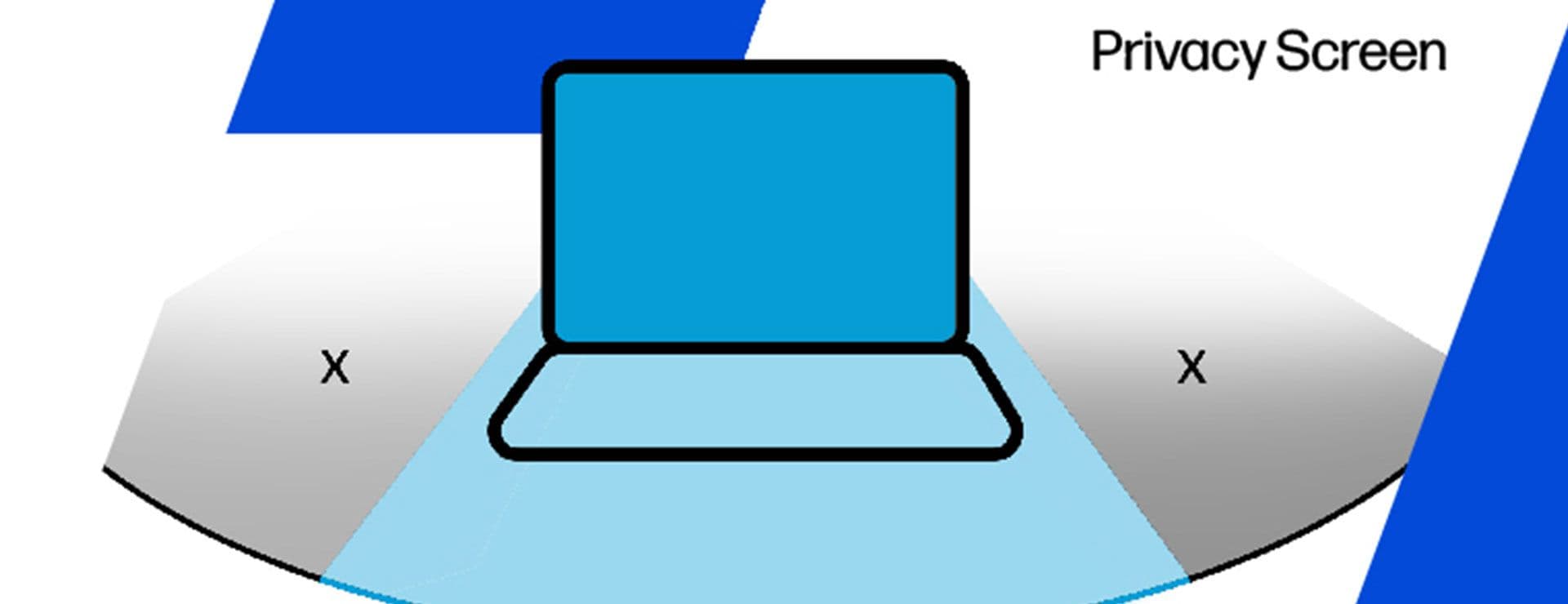
Visual hacking is a real threat when working in public spaces.
HP Sure View Reflect / Gen4 – Built-in privacy screens narrow the viewing angle so only the user sees the content.
Laptop Recommendation: HP EliteBook 840 G11 Sure View Edition – Perfect for consultants, CEOs, and frequent travellers.
Modern HP laptops integrate AI-powered behavioural detection to catch threats traditional antivirus misses.
Laptop Recommendation: HP Dragonfly G5 with HP Wolf Pro Security – Provides threat analytics and dashboards without requiring a SOC.
HP business devices support tamper-proof remote wipe and lockout.
Laptop Recommendation: HP EliteBook 845 G10 (AMD) – Enables remote tracking, locking, and wipe-on-demand.
Yes — using HP Client Security Manager, IT can:
Disable ports
Enforce BIOS password protection
Centrally manage encryption policies
Laptop Recommendation: HP ProBook 455 G10 – Delivers port protection at budget-friendly pricing.
HP builds security from the ground up — BIOS → hardware → OS → network.
With HP Wolf Security, Sure Start, Sure View, and fleet-level manageability, HP delivers layered endpoint security without hurting usability.
|
Security Feature |
Protection Use Case |
Recommended Device Tier |
|
Fingerprint + IR Camera |
Authentication |
EliteBook / Dragonfly |
|
Sure Start BIOS |
Firmware corruption |
Dragonfly / ProBook / Elite |
|
Sure View Privacy Screen |
Shoulder surfing |
EliteBook / Dragonfly |
|
Wolf Security |
Malware / app isolation |
All EliteBooks / ProBooks |
|
Remote Lock/Wipe |
Lost/stolen device risks |
All HP Business Laptops |
Users often resist “secure laptops” fearing extra logins, heavier devices, or slower performance. HP’s 2025 lineup flips that narrative:
Fingerprint sensors = faster login
Sure View = privacy without stickers
Sure Start = BIOS healing without IT calls
Wolf Security = protection even when users make mistakes
Bottom line: HP delivers stronger security with less friction.
Q1. Is a fingerprint scanner enough for secure authentication?
It’s safer than passwords alone. For mission-critical users, combine fingerprint + face ID + smartcard for maximum protection.
Q2. Does HP Wolf Security replace traditional antivirus?
No, it complements it. Wolf Security adds deeper isolation and containment, while working alongside Microsoft Defender or McAfee.
Q3. Can I add HP Sure View to any model?
No. Sure View is available only on select EliteBook and Dragonfly SKUs.
Q4. What happens if someone tampers with the BIOS?
HP Sure Start detects tampering and automatically restores the BIOS during boot.
Q5. Are these security features available in ProBooks?
Yes. Many ProBooks include BIOS protections, encryption, and Wolf Security, though Elite/Dragonfly devices offer more advanced options.